







Service hour
QRESTIGE
QR menus and service operations for restaurants, cafés and lounges.
In development Web platformGuests need no app
Explore the platform 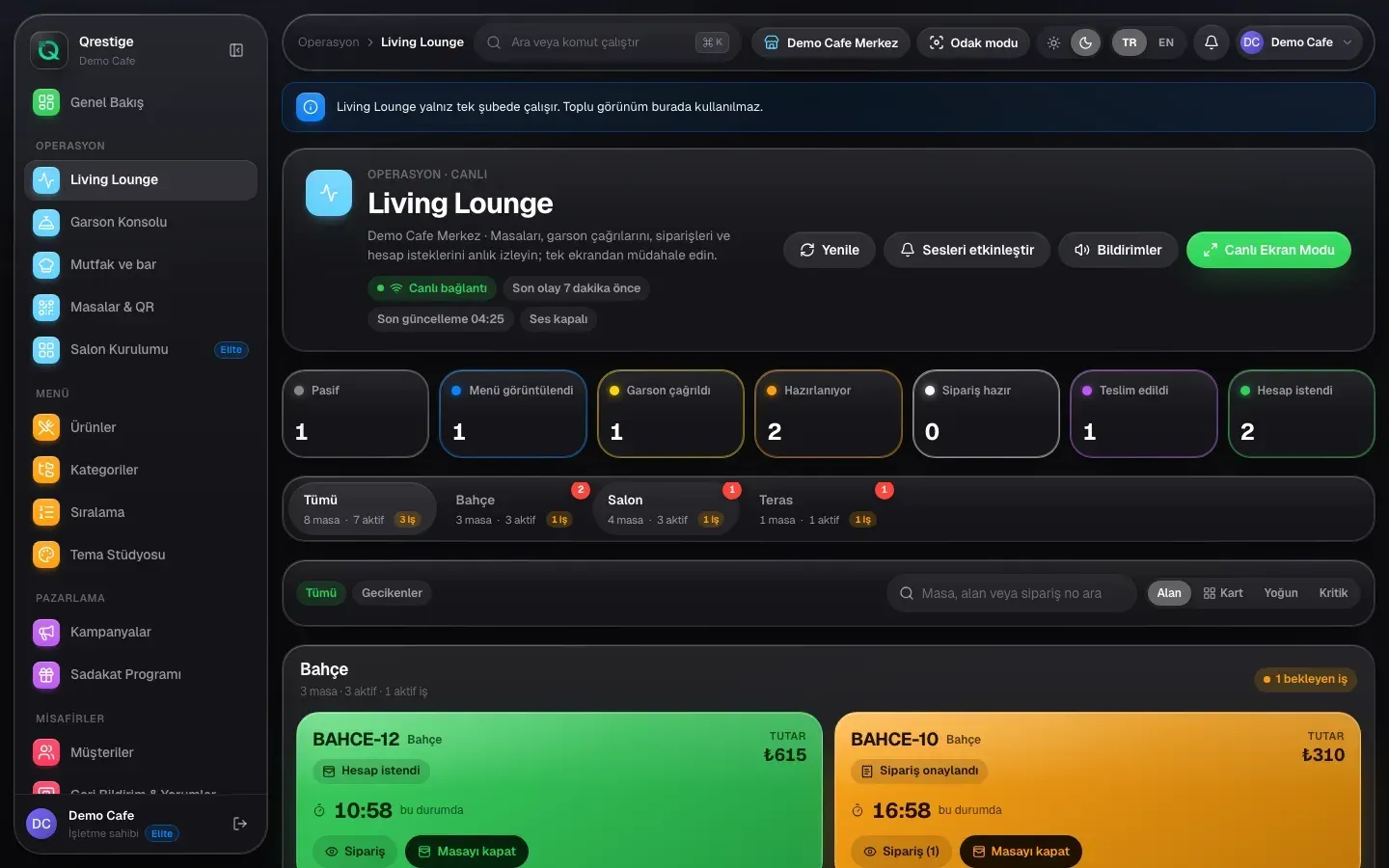
What it is
A menu for the guest. A view of the whole room.
QRESTIGE connects a branded browser menu with the work behind service: orders, tables, waiter calls and kitchen queues. Guests open the menu without installing an app. The release candidate brings these tools together; production rollout is still ahead.
01 / The guest’s first step
A QR code starts the visit.
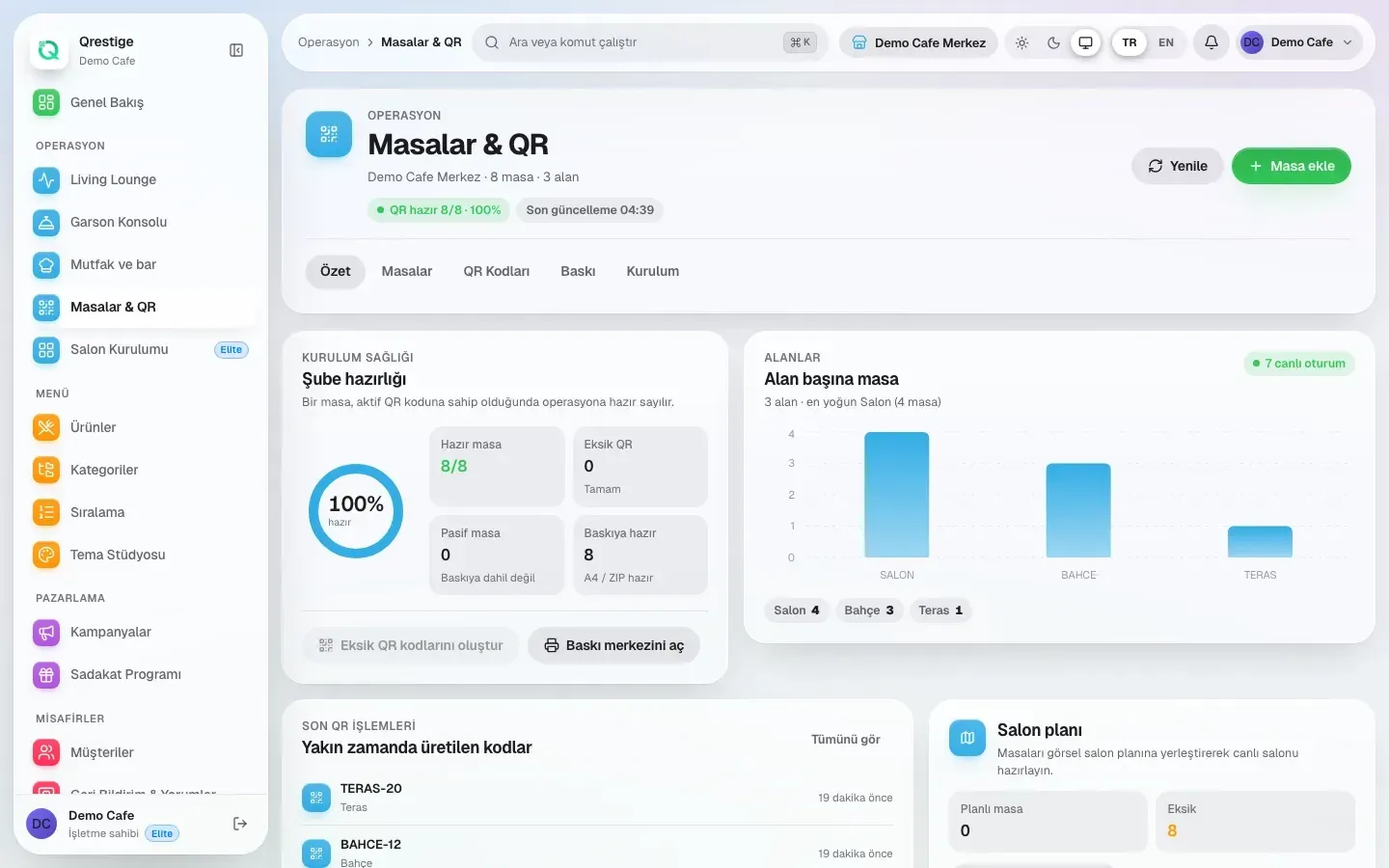
Guests open your branded menu in their browser and place an order with product options. Prices are checked on the server, and a repeated submission creates one order. The Tables & QR screen gives the team a view of table readiness.
- Branded QR menus, without an app
- Product options in QR orders
- Server-checked prices
- Repeated submissions create one order
02 / Living Lounge
See what each table needs.
Living Lounge puts tables, waiter calls, bill requests and waiting times on one live screen. Dedicated waiter and kitchen/bar consoles give each team its own place to follow service. The floor stays connected to preparation and delivery.
- Live table states and waiting times
- Waiter calls and bill requests
- A dedicated waiter console
- Kitchen and bar preparation queues
03 / Operations overview
Read the rhythm of service.
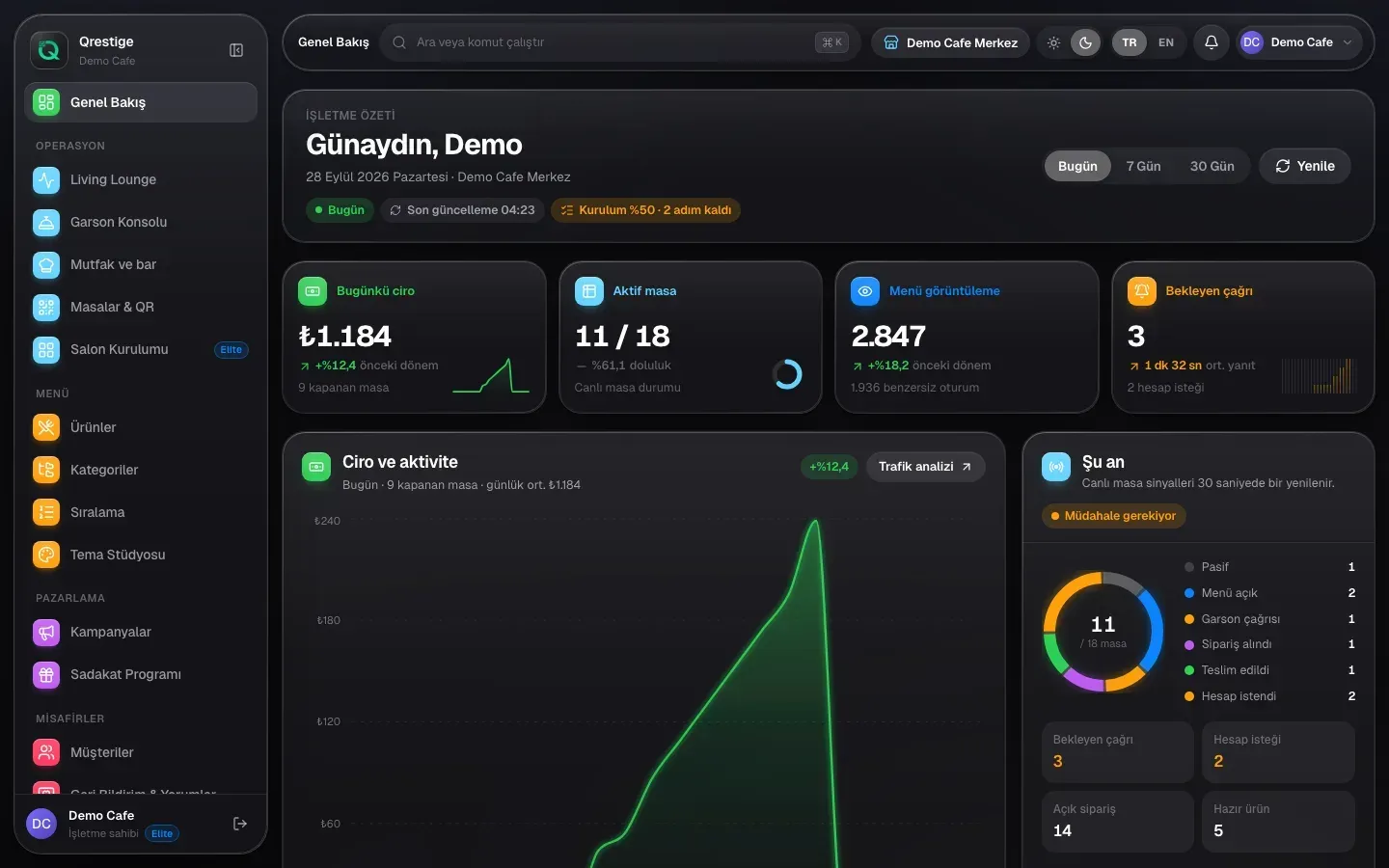
Move from the live floor to an overview of the operation. Analytics cover kitchen and waiter timings, peak hours, products and QR scans. Exports let you take the records beyond the dashboard.
- Kitchen and waiter timings
- Peak hours and product activity
- QR-scan analytics
- Operations exports
04 / Businesses, branches & roles
A clear scope for every team.
QRESTIGE supports multiple businesses and branches with separate roles. Business and branch isolation keeps access scoped to the operation each person belongs to. The capture shows the Demo Cafe branch context; it is demo data, not a customer result.
- Multiple businesses
- Multiple branches
- Staff roles and permissions
- Business and branch isolation
More of the platform
Everything it does today.
Menu Theme Studio
Design, save and publish themes. The public menu matches what you publish.
Loyalty cards
Bring loyalty cards into the guest experience.
Campaigns & happy hour
Manage campaigns and time-based pricing.
Menu import with preview
Review the preview and row errors before applying an import once.
Import safeguards
Spreadsheet formula-injection protection is part of menu import.
Guest feedback
Collect feedback and reviews for the business to read.
Try the service flow
A request travels. The room stays connected.
Choose a table, then advance its request through service, preparation and delivery. This small illustration explains the flow; it is not the QRESTIGE interface.
KitchenServiceDeliveryEntrance
The request journey
Choose a table to start a request.
- New order
- Confirmed
- Ready
- Delivered
Use the advance button to follow each step. Auto-demo is optional.
Privacy & control
Access follows the operation.
Business & branch isolation
Roles and permissions are scoped to businesses and branches.
Staff session controls
The staff app has session controls in code. It is in development and is not available in stores.
Requirements & status
Built. Still in development.
Not in production rollout. The staff app is not in any store.
Visit qrestige.com- Platform
- Web platform
- Guests
- No app needed
- Staff app
- iOS & Android · in development
- Status
- In development · release candidate